Tcules brought them into one search box that recognises how you want to start. Search and AI help stay separate moves you can see.
The work covered search and AI mode switching, template and feature discovery, preview cards, documentation access, node configuration, test feedback and keyboard use.
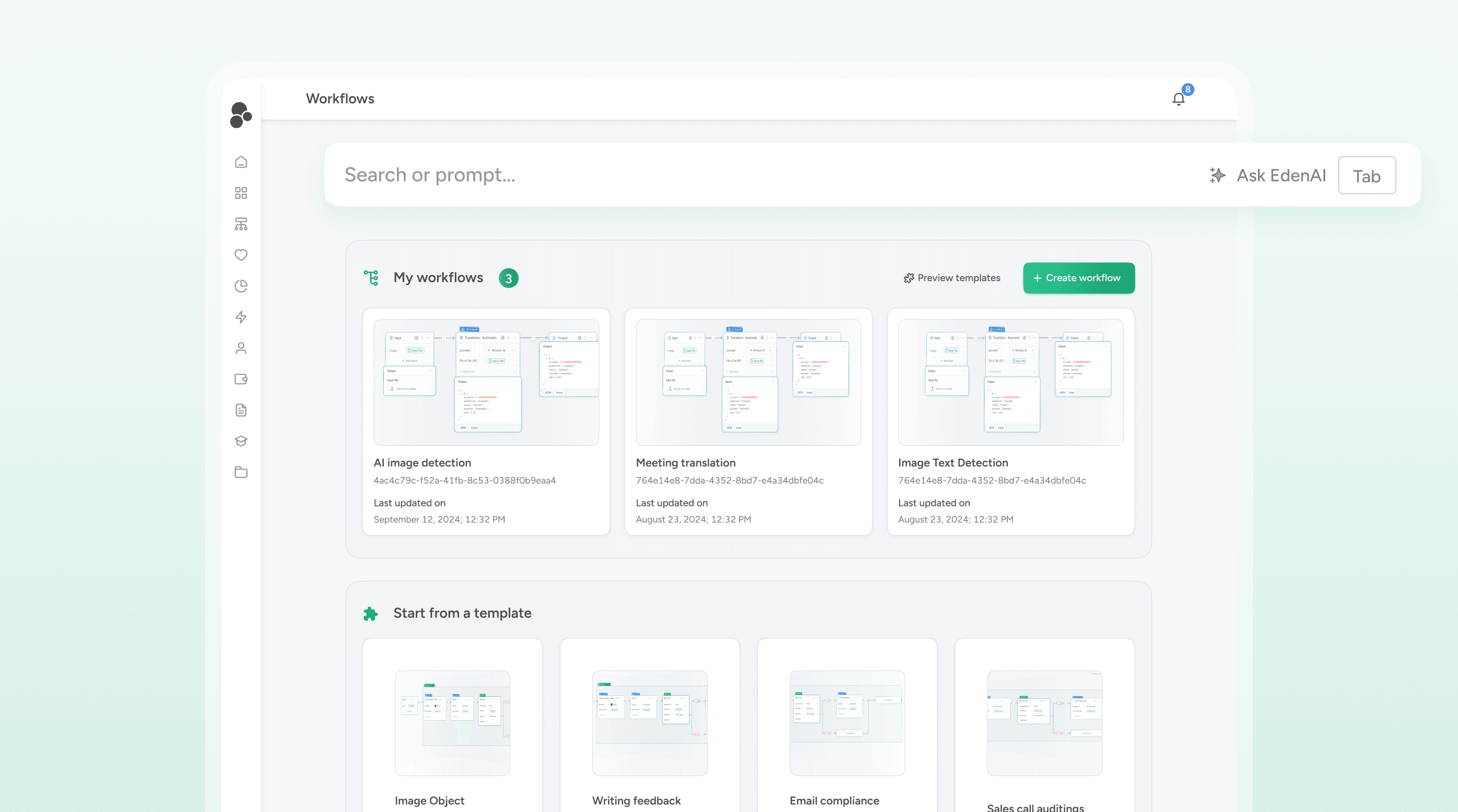
Eden AI workflow builder overview, with the search box where every workflow starts
Related Tcules services: AI Search and Recommendation and Product Design.
Templates, AI help or a blank start: where switching broke down
A template helps a user recognise a known workflow. AI help lets a user shape an idea that is still loose. Starting from scratch gives an experienced user direct control. All three are legitimate.
The trouble was moving between them. A user who entered through templates met a different discovery route from someone who started with AI or a blank workflow. Documentation and configuration details could drift away from the task.
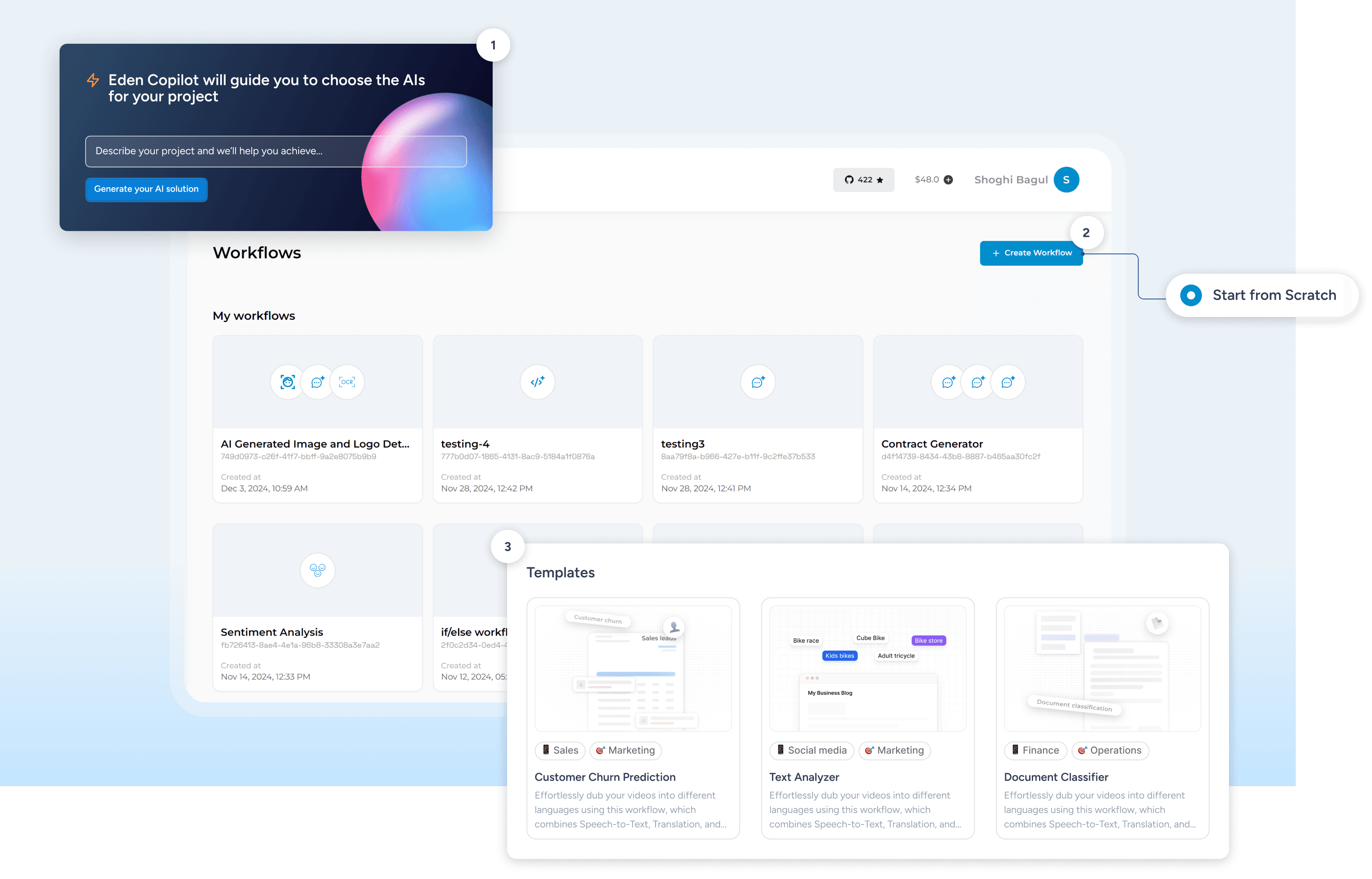
Eden AI workflow builder before the redesign, with separate routes to start a workflow
Analytics and session data helped the team see where discovery and creation were coming apart. The redesign had to get people to a working workflow from whichever starting point suited them.
One search box for every start, with search and AI help kept as separate modes
The design used one search box to recognise different kinds of intent. From it, a user could:
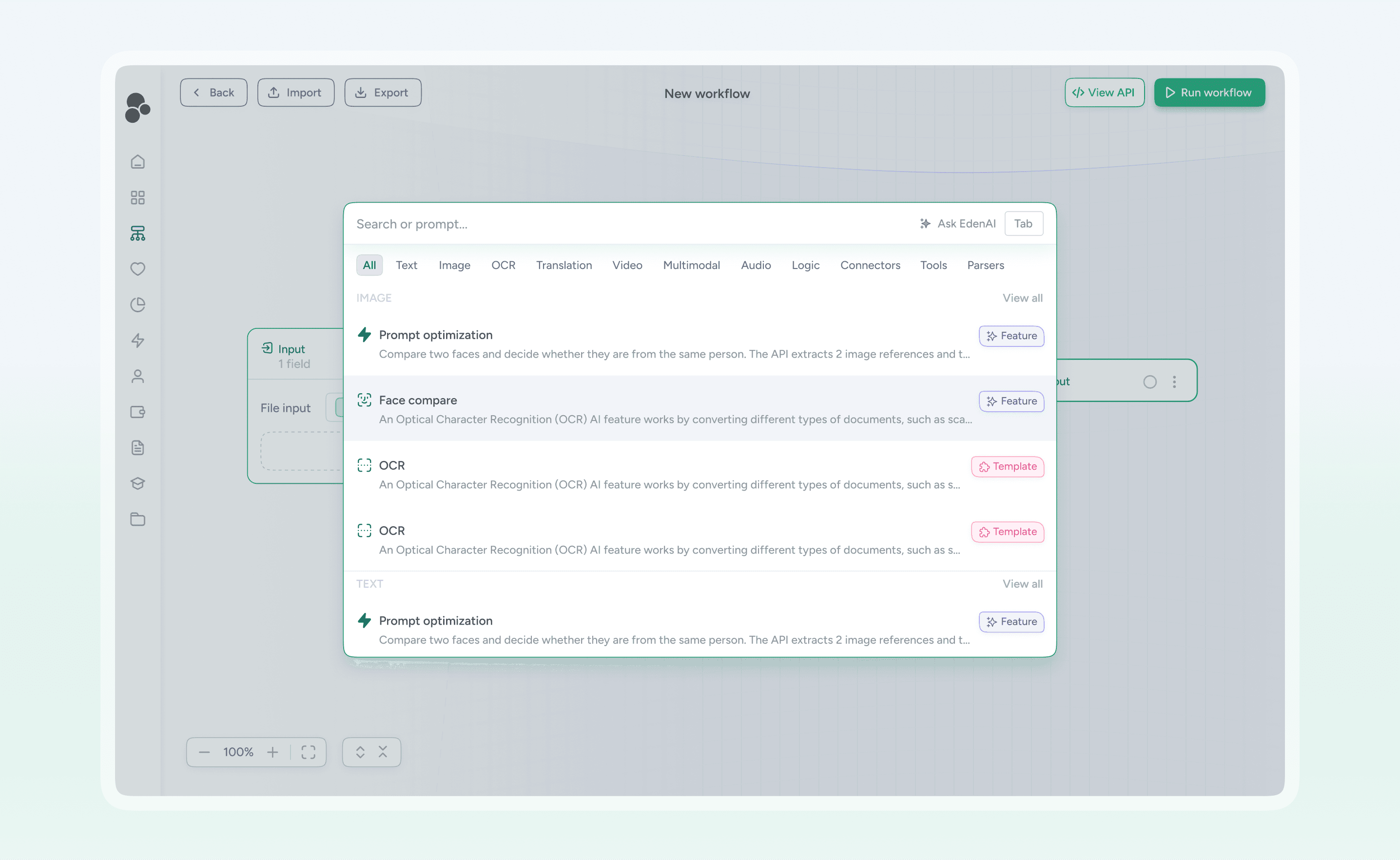
Eden AI workflow builder with one search to find a template, ask AI or start blank
- search for a capability or template
- move into an AI-assisted mode
- preview what they found
- continue into the workflow builder
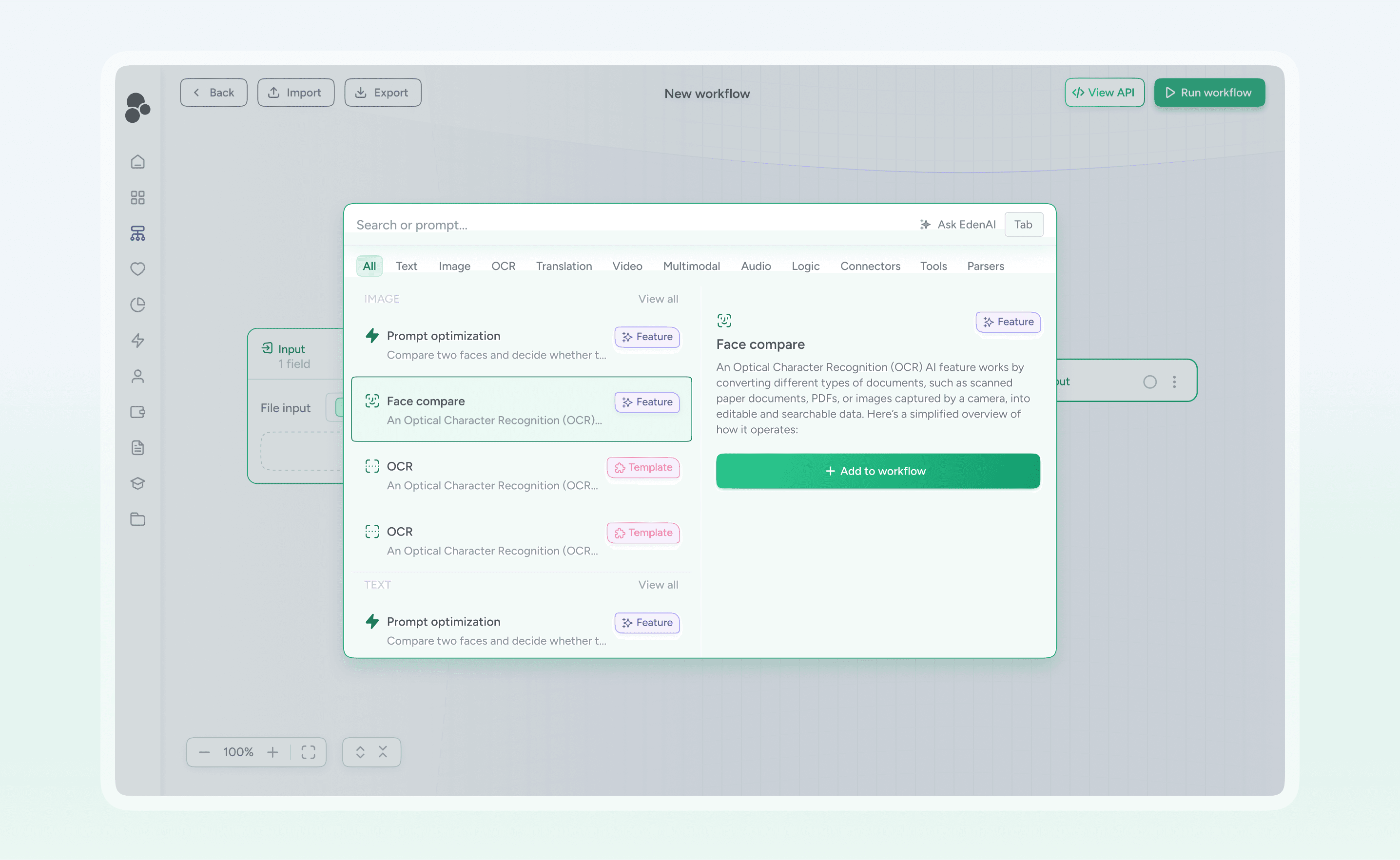
Eden AI search results showing templates and AI help in one list
The keyboard made the mode change explicit. In the design, Tab moved a user into AI assistance. That kept search and AI close together while treating them as two separate operations.
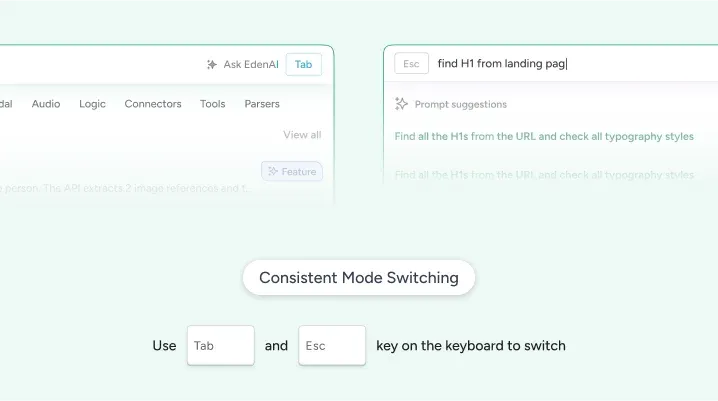
Eden AI command-palette style search with the Tab key moving into AI help
Template discovery UX: previews and docs before anything is added
Search results and templates need enough information to choose from. The redesign used preview cards and direct access to documentation, so a person could inspect a capability before adding it to a workflow. Deeper technical material stayed a click away from the first result.
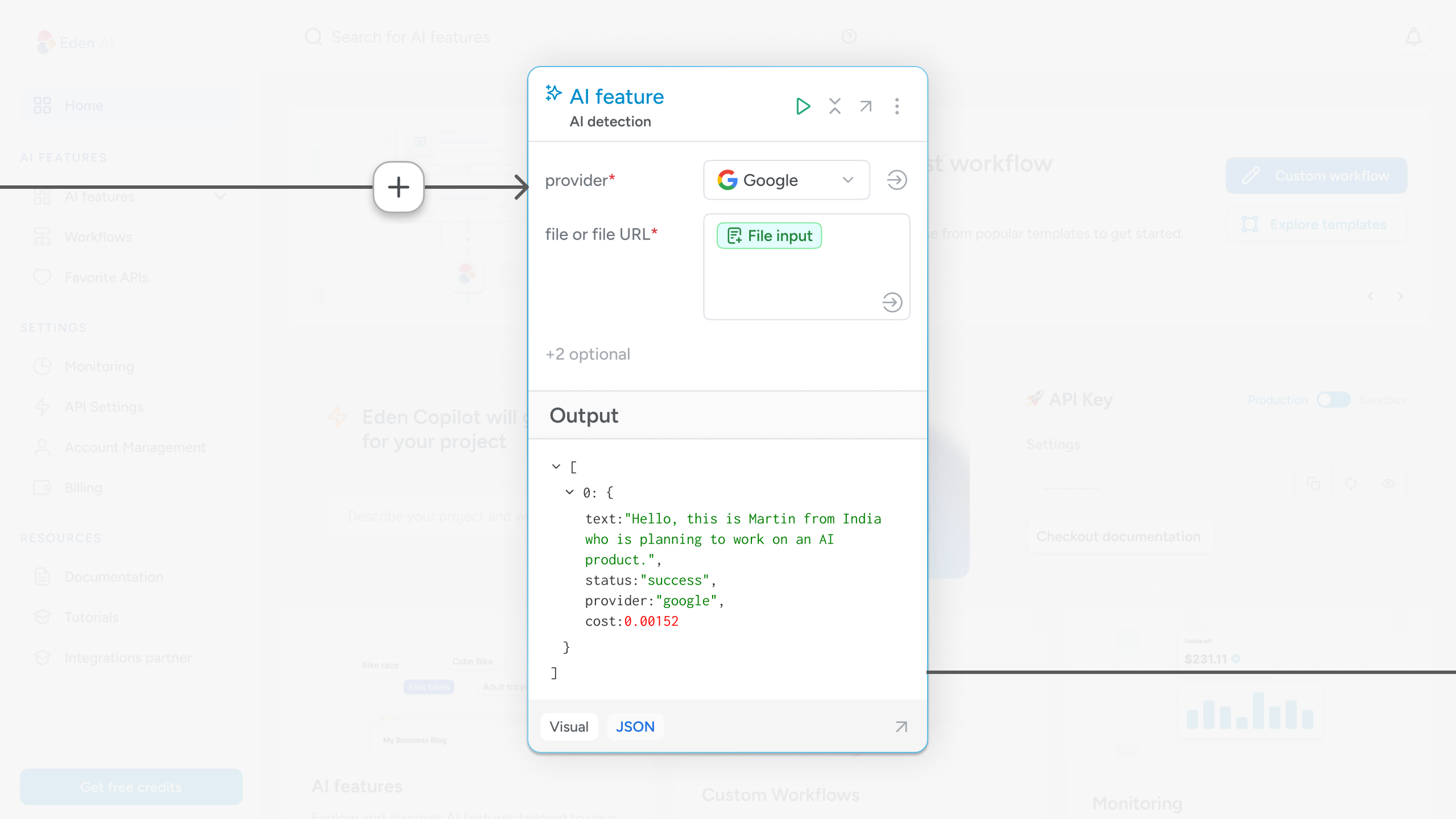
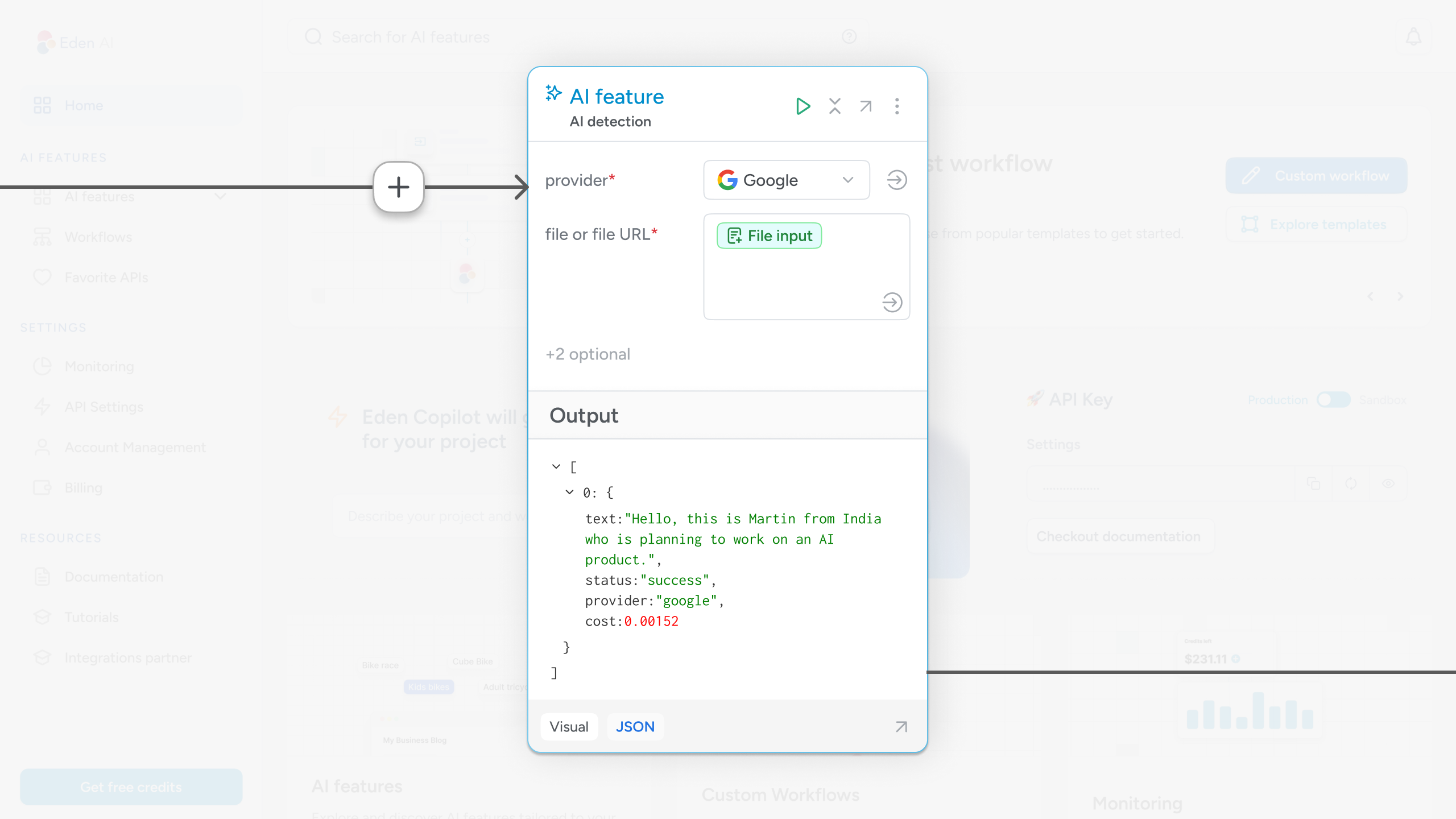
Inside the builder, a horizontal layout made the sequence of nodes visible. Configuration and test feedback stayed connected to the work being changed. The goal was continuity: discovery, selection, configuration and testing should feel like stages of one task.
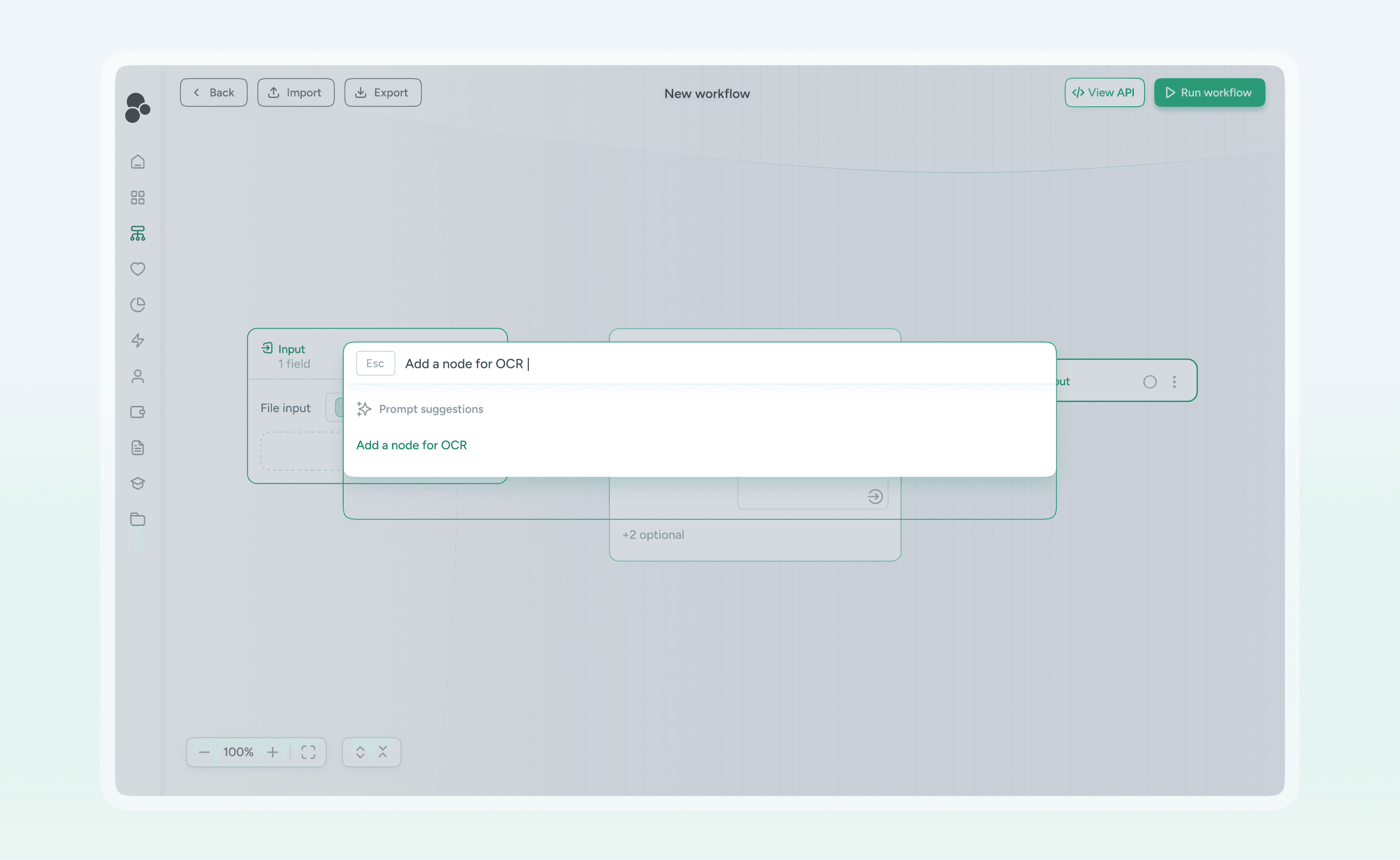
Eden AI search box opened inside the workflow builder
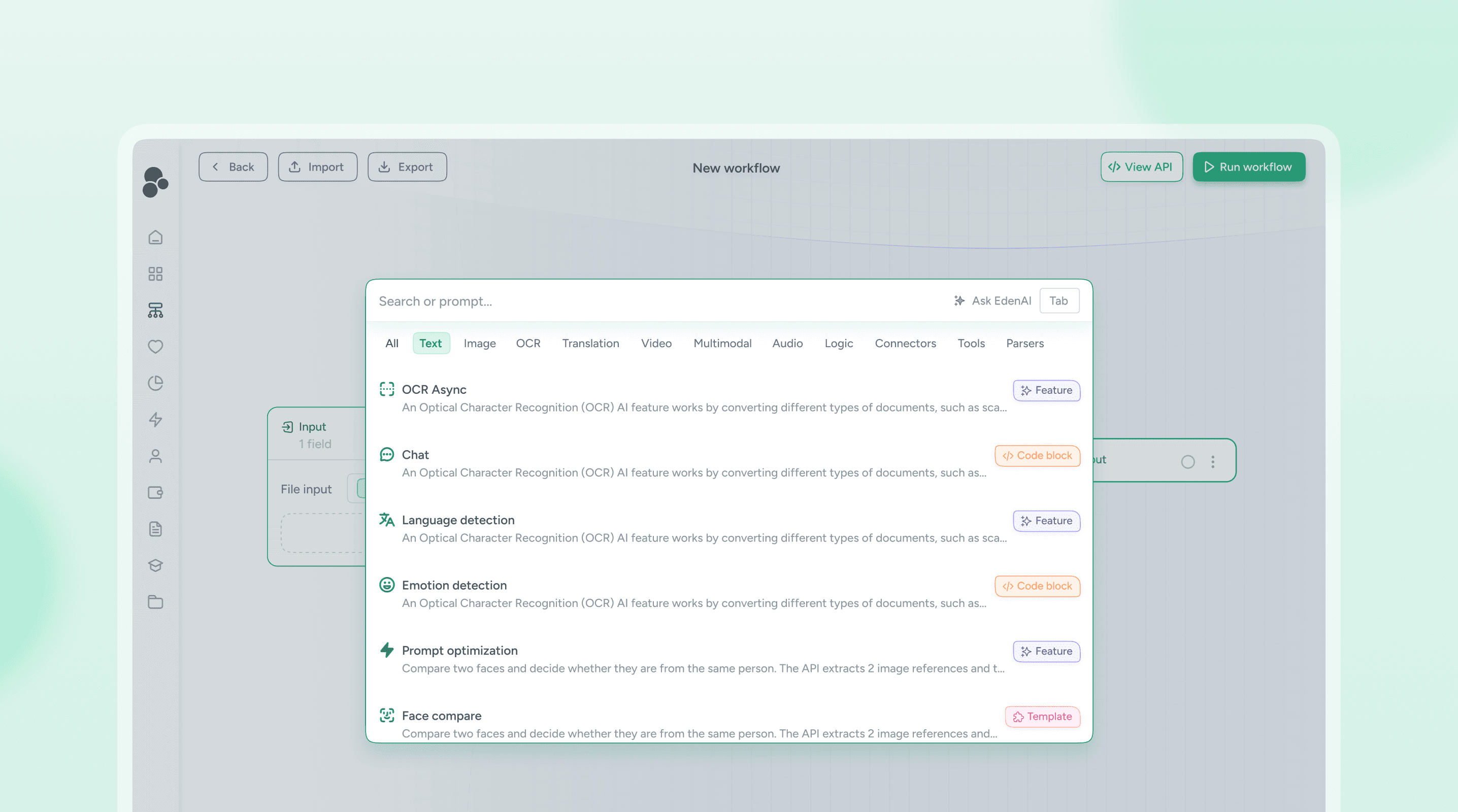
Eden AI workflow step list using the same search pattern
AI workflow builder redesign: from discovery to a tested workflow
The redesign connected the path from finding a capability to configuring and testing it. Tcules brought that continuity into the product by:
- recognising three valid creation modes
- unifying their entry through adaptive search
- keeping search and AI assistance distinct
- connecting previews and documentation to selection
- carrying chosen capabilities into node configuration
- returning test feedback to the workflow it came from
Users could start with a known template, describe an idea or construct the workflow themselves, while staying within the same product experience.
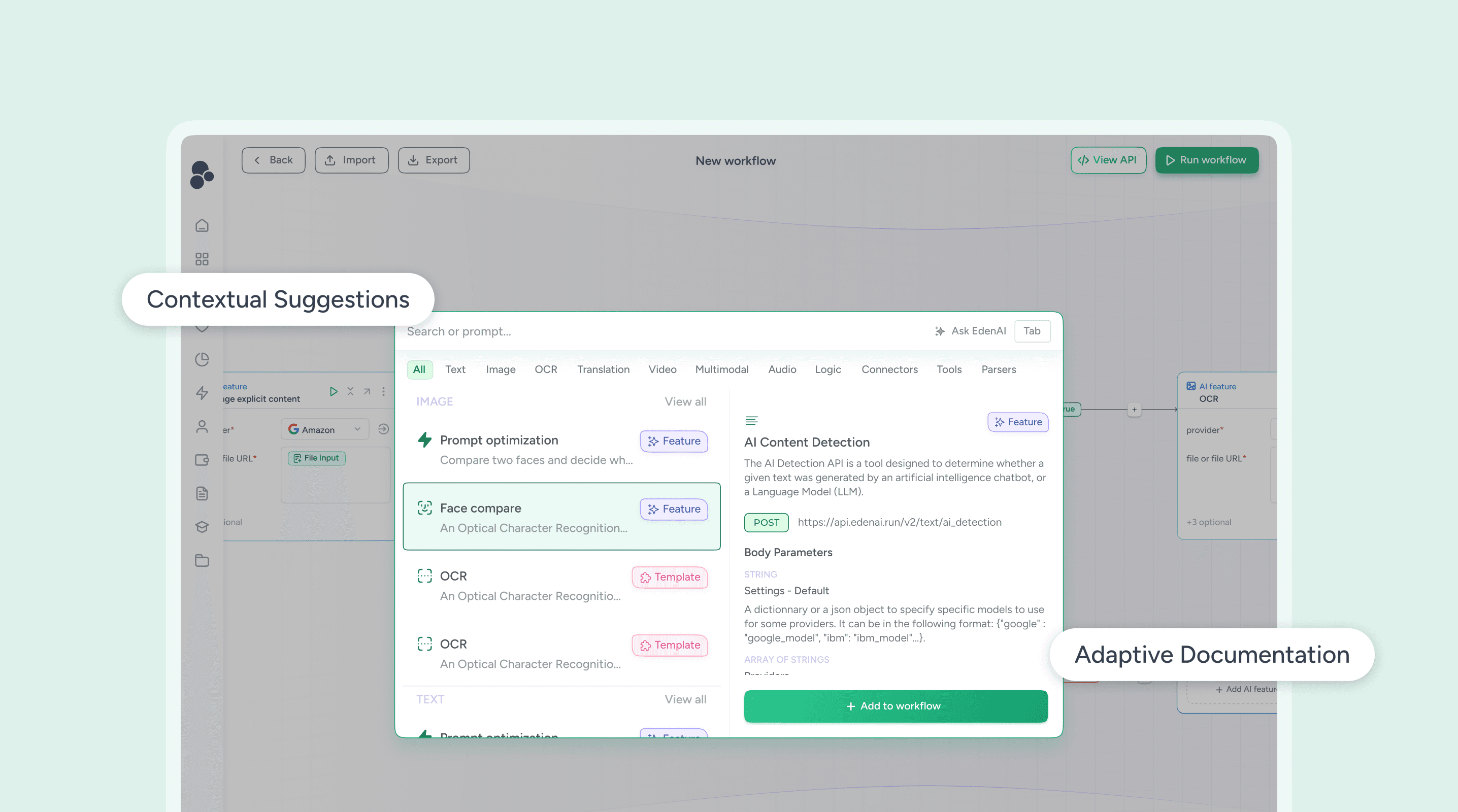
Eden AI search adapting its suggestions to the workflow being built
Eden AI puts hundreds of AI models behind one platform, so the first search is where a developer finds out whether the product understands them. In the redesign, one box does three jobs and recognises which one you want.
Eden AI builder revealing more options as the user goes deeper
Five questions before merging entry points in a product
Merging entry points should cut needless switching and keep every meaningful mode. Five questions test it:
- Can the user start from recognition, description or construction?
- Does each route preserve the same product objects?
- Can the user inspect a capability before committing it?
- Does feedback return to the state that caused it?
- Are keyboard and assistive-technology interactions explicit?
When the answers are clear, a shared entry point can simplify the product and leave expert work intact.
We expect more AI tools to move this way: one place to search, ask or build, with the product making clear which of the three is happening.
Tcules' AI search and recommendation work designs shared entry points like this one. Eden AI's CPTO discusses the product thinking behind this collaboration in a Tcules podcast conversation.
What Eden AI's founder says about the redesign
“Eden AI gives developers one way into hundreds of AI models, so the product has to be easy to find your way around. Tcules understood that quickly. Our developers had specs they could build from, and our users told us they loved the new design without being asked.”
“Developers on our platform can start a workflow from a template, by asking the AI or from scratch. Tcules brought all three into one search box and designed AI help as a mode you enter with one key, so people can always see whether they are searching or asking the AI.”
Questions about AI assistance in a workflow builder
What did Tcules design for Eden AI?
Tcules redesigned how developers start a workflow in Eden AI's AI workflow builder. The work covered search and AI mode switching, template and feature discovery, preview cards, documentation access, node configuration, test feedback and keyboard use. Eden AI looked after its own model providers, APIs, workflow engine and platform.
How do you combine templates, AI help and docs in one builder?
Give them one entry point that recognises different kinds of intent, and keep each mode distinct. In Eden AI's builder, one search box finds capabilities and templates, and Tab moves the user into AI assistance. Preview cards and direct documentation access let people inspect a capability before adding it.
Why keep search and AI assistance as separate modes?
Each serves a different start. Search helps a user recognise a known capability or template, and AI help shapes an idea that is still loose. Making the switch explicit through the Tab key kept the two close together while treating them as separate operations.
Who uses the Eden AI workflow builder?
Developers building with AI models, through Eden AI's developer platform. Tcules redesigned how they find capabilities and start a workflow there. Related work sits under AI products and developer tools.